
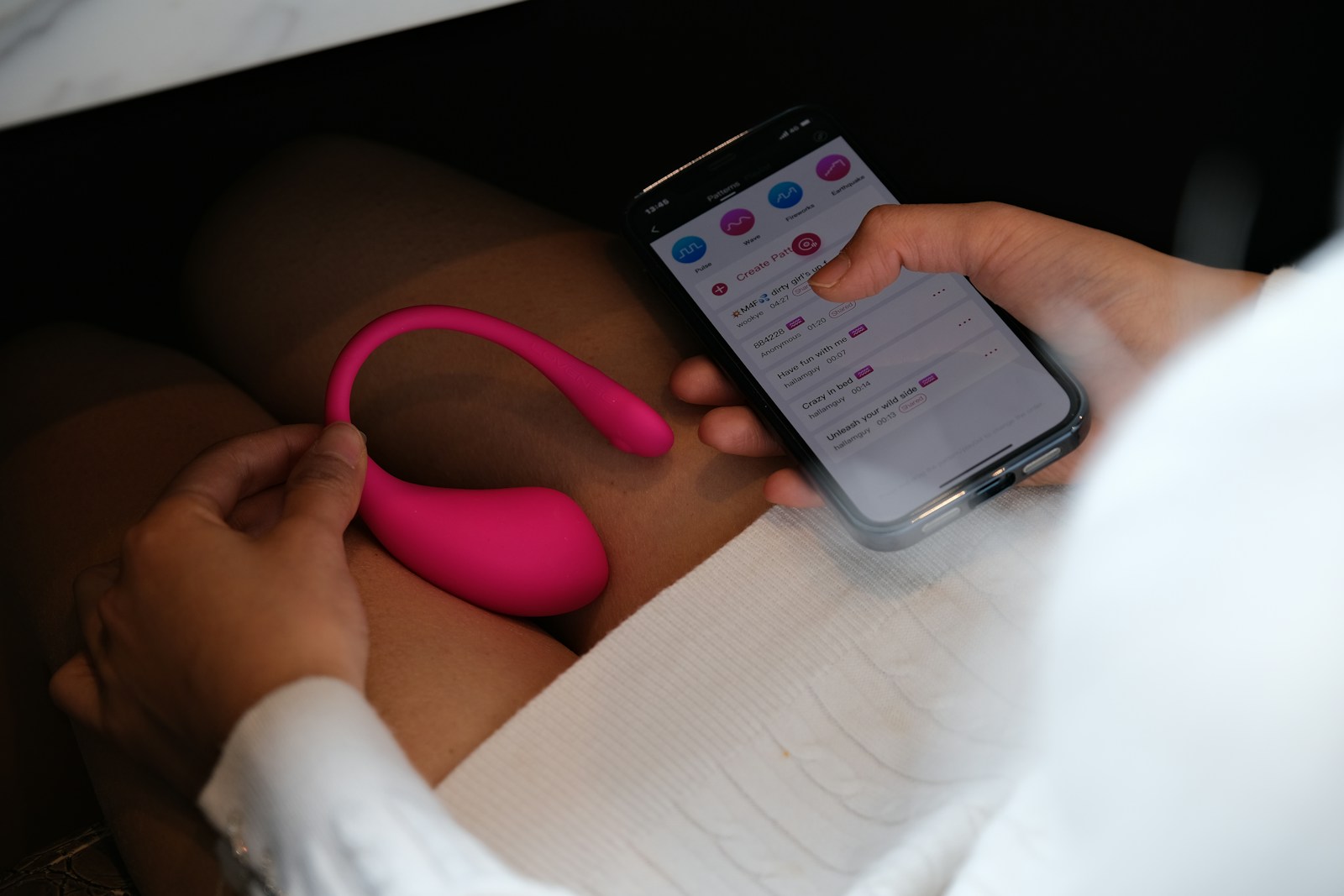
A beginner’s guide to smart pleasure tech that actually works.
The world of sexual wellness has changed massively in recent years. We’ve gone way beyond basic battery operated devices into an era of genuinely high tech intimacy. Leading the charge are app controlled sex toys, smart devices that bridge physical sensation and digital connectivity in ways that seemed like science fiction a decade ago.
Whether you want to spice up a long distance relationship, explore new sensations on your own, or hand total control to a partner in the same room, app controlled toys offer serious versatility. But adding Bluetooth and software to the bedroom can sometimes create more confusion than pleasure. Connectivity issues, confusing interfaces, and privacy concerns are common problems for beginners.
If you’re ready to upgrade your intimate life but have no idea where to start, this guide covers everything you need to know. From initial setup to fixing connection drops, here’s how to actually get the most out of these devices.
How They Actually Work
Before you start pressing buttons, it helps to understand the basic tech. Most app controlled toys don’t connect directly to the internet. They connect to your phone or tablet via Bluetooth.
Your phone is the bridge. The app on your phone sends commands to the toy. If you’re playing with a long distance partner, their phone sends a signal over the internet to your phone, which then relays it via Bluetooth to the toy.
This matters because it explains why you generally need to keep your phone within a few feet of the device, even if your partner is thousands of miles away.
Getting Set Up Right
The excitement of unboxing something new often makes people skip the manual, but with smart devices, the setup phase is critical for avoiding headaches later.
Charge it fully first. Smart toys are power hungry. Bluetooth radios eat through energy, and a low battery causes constant disconnection issues. Before your first session, charge the device to 100%. Most manufacturers recommend a full initial charge to calibrate battery health.
Download the correct app. Many brands have multiple apps for different purposes or older software versions. Check the QR code in the manual or search the exact brand name in the App Store or Google Play.
Allow the right permissions. When you first open the app, it’ll ask for various permissions.
Bluetooth is non negotiable. You must allow this for the app to find the toy.
Location services on Android devices tie Bluetooth Low Energy to location services. You usually need to enable location access for pairing, even though the app isn’t actually tracking your GPS.
Microphone and camera are optional but often needed for features like voice chat or sound activated vibrations.
Pairing Without Wanting to Throw Your Phone
Pairing a sex toy is slightly different from pairing headphones.
Do not pair via your phone’s settings menu. This is the most common mistake. If you go to your iPhone or Android Bluetooth settings and try to pair the toy there, it likely won’t work or will ask for a PIN that doesn’t exist.
Instead, turn on your phone’s Bluetooth, open the manufacturer’s app, and search for the device within the app itself. Hold the power button on the toy, usually for 3 to 5 seconds, until it enters discovery mode. This is often shown by a blinking light. The app should recognize it within seconds.
Exploring Solo Features
Once connected, take time to explore the features alone. App controlled toys offer way more customization than standard devices.
You can create custom vibration patterns by literally drawing your own vibration waves on the screen. Build something that starts slow and peaks intensely, then loop it for hands free pleasure.
Sound and music sync is one of the most immersive features. You can play a song from your library or use the phone’s microphone to pick up ambient noise. The toy pulses to the beat of the bass or the rhythm of a voice.
Some apps integrate with erotic audiobooks or videos. As the action on screen or in the story heats up, the toy reacts in real time. This creates a deeply immersive sensory experience that manual controls just can’t match.
Long Distance and Partner Play
The real game changer for these devices is letting someone else take control. This is huge for long distance relationships or power play dynamics.
To let a partner control your toy, they usually need to download the same app or a specific remote version. You’ll send them a secure link via text or email, or add them by username within the app’s platform.
Once connected, they see a control panel on their screen. They can drag their finger to change intensity, tap to switch patterns, or use voice control.
Many apps now include built in video chat features so you don’t have to juggle a Zoom call and a toy control app at the same time. If you prefer using a different video platform like FaceTime or WhatsApp, you can usually run the toy app in the background.
Pro tip: if you’re running the app in the background, make sure your phone’s battery saver mode is off. This can sometimes kill the Bluetooth connection to save power.
Fixing Common Problems
Technology is great until it isn’t. Here’s how to handle the most frustrating issues.
The connection drops while the toy is in use. Because the signal is Bluetooth, water and human bodies can block it. Try moving your phone closer or changing the angle of your body to give the signal a clear path.
The app crashes or freezes. Force close it and restart. If problems keep happening, check if there’s a firmware update available for the toy itself. This is usually found in the app’s settings menu.
There’s annoying lag during long distance play. A slight delay is normal. If the lag becomes really bad, like 3 plus seconds, both people should switch from mobile data to Wi Fi.
Privacy Stuff You Should Know
Connecting a sex toy to the internet naturally raises privacy questions. While major brands have improved security a lot, it’s smart to practice good digital hygiene.
Use a pseudonym. You rarely need your real full name for your profile. Pick a fun username instead.
Secure your account with a strong, unique password.
Read the data policy and check if the app collects usage data. Most reputable companies anonymize this info, but you should know what’s being shared.
Actually Enjoying Yourself
App controlled sex toys are more than just gadgets. They’re tools for connection and exploration. They let couples touch across oceans and individuals fine tune their pleasure with precision.
By understanding the setup process and knowing how to troubleshoot the occasional tech hiccup, you can make sure technology enhances the mood instead of killing it. Charge up, log in, and enjoy what the future of pleasure actually feels like.

